Treasury and SEPA direct debits
- Finance
Track money in and out, connect payments to documents, and prepare SEPA files for your bank.
Know what each movement pays
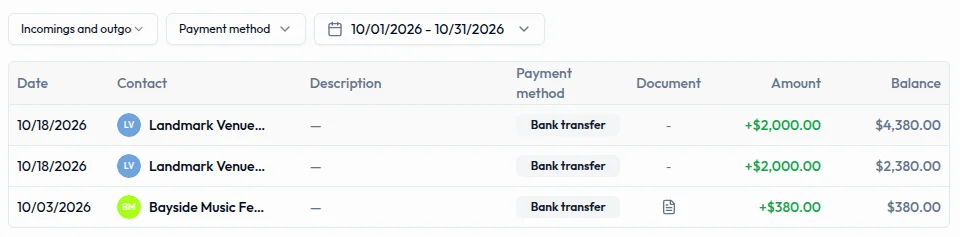
Link to this section: Know what each movement paysCreate an account for each bank or cash box, with its currency and starting balance. Record a client's transfer there, then assign it to the invoice it settles. Recording the money changes the account balance; assigning it changes the invoice's payment status. An unassigned payment does not settle an invoice.
Close the till and compare the bank
Link to this section: Close the till and compare the bankOpen and close cash sessions with a count so the team can compare expected and actual cash at the end of a shift. For bank accounts, compare the statement with the movements recorded in Filmo and enter anything missing. Bank reconciliation is manual: there is no bank feed or statement import.
Prepare direct debits in euros
Link to this section: Prepare direct debits in eurosRecord the client's signed SEPA mandate, group pending receipts into a remittance and generate the file for your bank. Upload that file to the bank yourself, then record each collection or return in Filmo. A receipt is a planned collection; creating or submitting a remittance is not evidence that the invoice was paid.
Use it today
Link to this section: Use it todayThe guides and recordings below describe Filmo today. Screens and available options may have changed since this update.
Start with How Treasury works and check one real movement against its document. At period end, follow Bank reconciliation to compare the account with your statement. A Synced label on a bank account does not mean it has a bank connection.
Before following Create a SEPA remittance, check the creditor setup, active mandates, euro account and receipt selection. Receipts cannot be removed from a remittance, and the remittance cannot be cancelled from the app. Record the bank's actual collections and returns afterwards.
For a video overview, see Cash sessions and bank reconciliation in Filmo Academy.
Watch: Cash sessions and bank reconciliationReal product captures keep the language and theme of the recorded interface.
Academy videos have English audio and captions, including on Spanish lesson pages.
Related help articles
Related updates
Stay up to date
Get product updates, new blog articles, Filmo announcements and templates in your inbox.