Introducing Filmo Internal bookings
- Apps
- Equipment and inventory
An app for people who borrow your equipment: they send requests from the phone and your team reviews and reserves in Filmo.
Schools and universities lend equipment to their own students and teachers. Internal bookings gives those borrowers a way to request it, while the equipment desk keeps control of the reservation.
Let people request the equipment they can use
Link to this section: Let people request the equipment they can useApproved users browse the items, kits and spaces made visible to them and put together a request with collection and return dates. For example, a student planning a documentary shoot can request a camera kit and a tripod for Tuesday, with the project and a note for the equipment desk.
Turn the request into a reservation
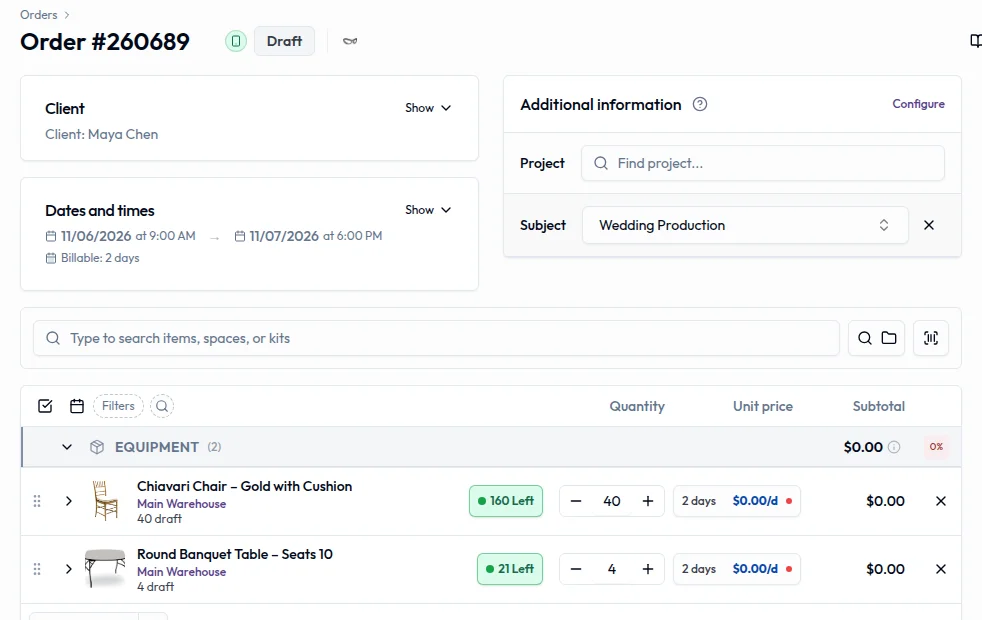
Link to this section: Turn the request into a reservationThe request arrives in Filmo as a draft order linked to the borrower's contact. Your team checks the equipment, quantities and dates, makes any adjustments and reserves it. Sending the request does not hold stock: the desk's reservation is what commits the equipment to that job.
Keep the project and the conversation together
Link to this section: Keep the project and the conversation togetherBorrowers can group work into projects, share files with collaborators and contact the equipment desk through the app. That gives the team somewhere to resolve a question about the request without losing its project context or confusing it with another student's booking.
Use it today
Link to this section: Use it todayThe guides and recordings below describe Filmo today. Screens and available options may have changed since this update.
The current Campus overview documents this experience for education accounts. Set up access and resource visibility first. An approved user also needs a linked contact to submit requests; follow approving access requests to establish that link.
Then follow handling app requests: open the draft, check lines and dates, and reserve it. Choose what the app shows deliberately, including whether to show availability. The app itself does not collect payment.
For a video overview, see Campus for schools in Filmo Academy.
Watch: Campus for schoolsReal product captures keep the language and theme of the recorded interface.
Academy videos have English audio and captions, including on Spanish lesson pages.
Related help articles
Related updates
Stay up to date
Get product updates, new blog articles, Filmo announcements and templates in your inbox.