Dashboards built from a sentence
- Reporting
- Neo and AI
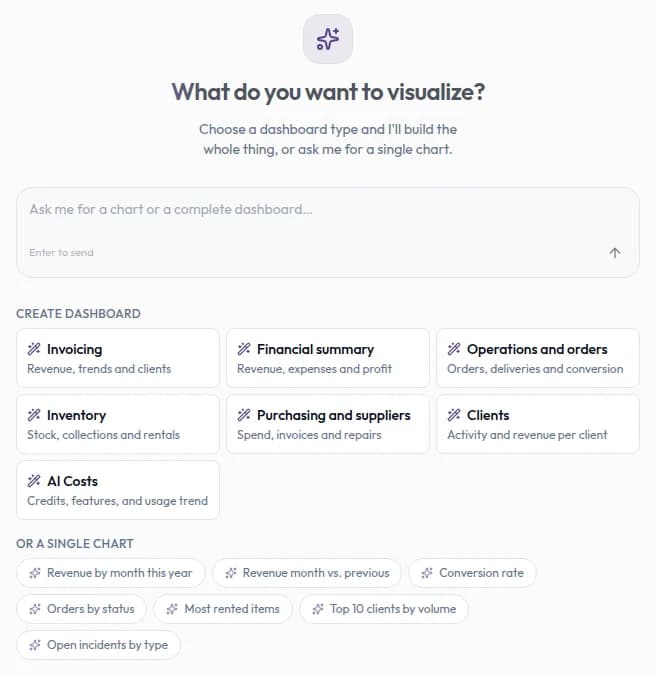
Describe the question you want to answer and the analytics assistant builds charts from your Filmo data.
Start with the business question
Link to this section: Start with the business questionAsk for a view such as invoicing by client this quarter or the items rented most. The assistant reads the data your permissions allow, chooses a chart and places it on a dashboard. You can then adjust the chart's type, size and colours instead of assembling the view from fields and formulas.
Give a meeting a shared starting point
Link to this section: Give a meeting a shared starting pointFor example, an operations manager preparing a monthly review could ask for orders by status and the most rented items. Naming the period and the measure helps distinguish a useful answer from a chart that merely looks plausible. Check the result against the records behind it before making a decision.
Keep or present the result
Link to this section: Keep or present the resultSave a snapshot when you need to retain a set of figures, generate a PDF report for a review, or show dashboards on an office screen. A live dashboard and a saved snapshot serve different purposes: one can recalculate as its period changes, while the other preserves a moment for comparison.
Review the audience as well as the figures
Link to this section: Review the audience as well as the figuresCharts check the viewer's data permissions. Sharing a dashboard therefore doesn't grant access to its source records. Still, read any text notes before sharing a screen: notes can contain figures and are visible to everyone who opens the dashboard.
Use it today
Link to this section: Use it todayThe guides and recordings below describe Filmo today. Screens and available options may have changed since this update.
Follow creating an analytics dashboard: open «Filmo AI» → «Analytics», create a dashboard and send a precise first request. That saves it. You need the relevant data access, enabled Analytics AI features and available credits.
Use the assistant guide to refine a chart. Larger plans start running when they appear; use «Cancel» if the plan is wrong. Before showing it to others, check dashboard visibility and permissions: dashboards made in the app are public within the account, and text notes are not filtered like charts.
For a video overview, see Your own dashboards in Filmo Academy.
Watch: Your own dashboardsReal product captures keep the language and theme of the recorded interface.
Academy videos have English audio and captions, including on Spanish lesson pages.
Related help articles
Related updates
Stay up to date
Get product updates, new blog articles, Filmo announcements and templates in your inbox.