Neo skills, memory and AI limits
- Neo and AI
- Platform
Reuse your regular requests as skills, keep useful preferences in Neo's memory and manage each person's AI credit limit.
Save the question you ask every week
Link to this section: Save the question you ask every weekA skill turns a repeated request into a personal /command. For example, save a request to list tomorrow's deliveries and flag anything still unprepared. Invoking it inserts the request into the chat, where you can add the day's context before sending. The skill belongs to you; it isn't a command automatically shared with the whole team.
Keep preferences between conversations
Link to this section: Keep preferences between conversationsNeo's memory can retain preferences, corrections and useful context, such as how you prefer amounts to be presented. You can inspect what it remembers and deactivate something it should stop using. That gives you a way to correct the assistant without repeating the same instruction in every conversation.
Choose how Neo responds
Link to this section: Choose how Neo respondsYour personality settings shape Neo's response style; account or AI administrators choose the spoken voice for the account. These settings change how Neo communicates, while the data it can access still depends on your permissions. A saved preference or a skill does not grant new access or bypass a proposal that needs review.
Make shared AI usage visible
Link to this section: Make shared AI usage visibleUsage views show where credits go, including usage by person and feature. AI administrators can set personal limits and switch individual AI features off for the account. A personal limit controls someone's share of the account's credits; it does not create a separate allowance.
Use it today
Link to this section: Use it todayThe guides and recordings below describe Filmo today. Screens and available options may have changed since this update.
To save your delivery check, follow creating a Neo skill: open «Settings» → «Filmo AI» → «Skills», name it, choose a command and write the request. Select it in chat, check the inserted text and send it. It consumes credits like a normal request.
Review your memory list when a preference changes; deactivation stops future use and keeps the inactive record. For the shared budget, personal AI limits offer disabled, fixed or unlimited modes. Unlimited still draws from the account's available credits.
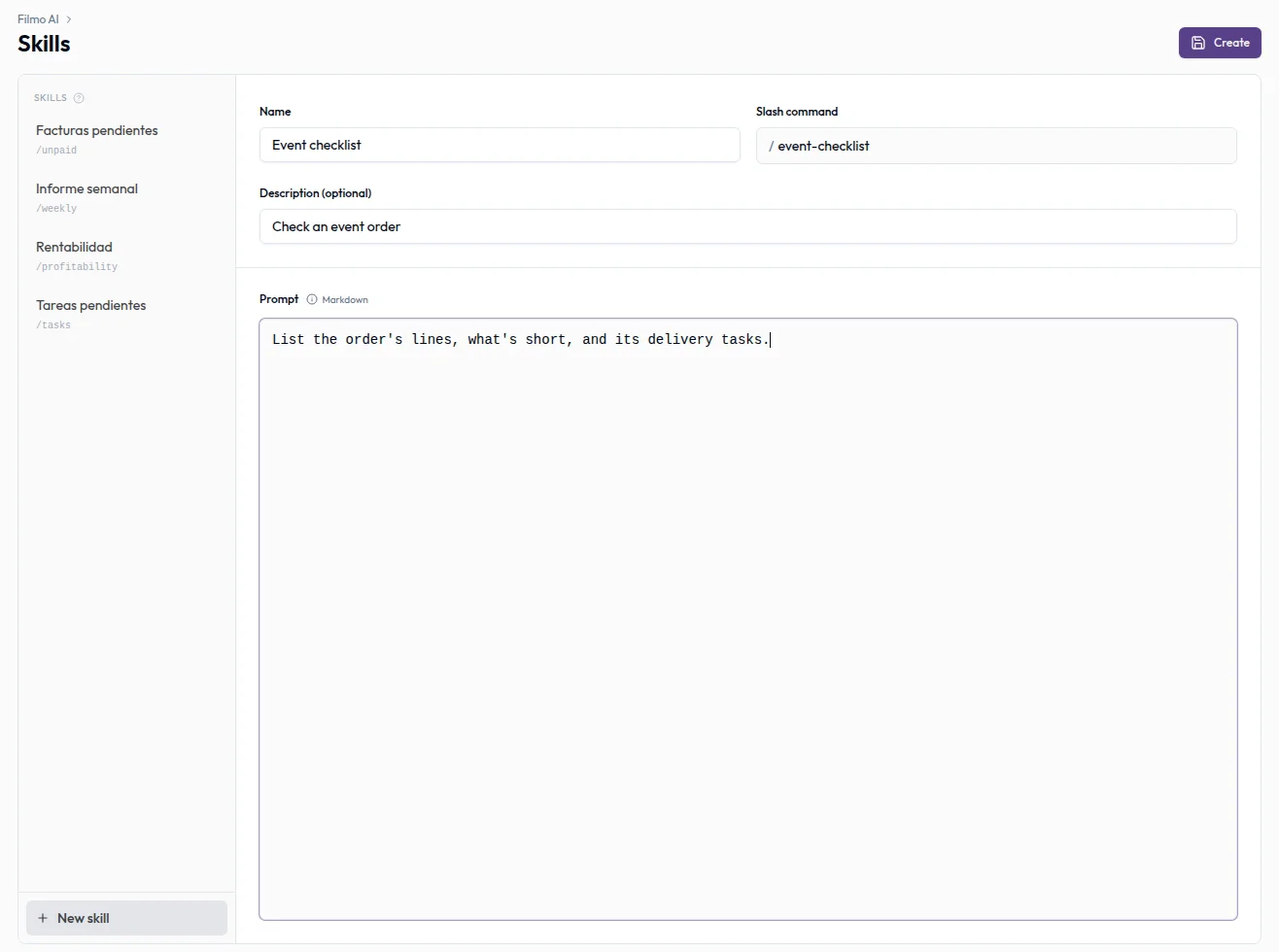
For a video overview, see Make NEO yours in Filmo Academy.
Watch: Make NEO yoursReal product captures keep the language and theme of the recorded interface.
Academy videos have English audio and captions, including on Spanish lesson pages.
Related help articles
Related updates
Stay up to date
Get product updates, new blog articles, Filmo announcements and templates in your inbox.