AI steps and signals in workflows
- Workflows
- Neo and AI
AI steps, signals and run history expand the documented workflow model. Workflows remains marked as coming soon in the current help.
Let a step read and classify
Link to this section: Let a step read and classifyThe workflow model adds AI steps for questions, classification and true-or-false decisions. A result can feed a later step or choose a branch. The AI step itself only reads: creating a record or sending a message belongs to a separately configured action, not to an unreviewed instruction hidden in the AI answer.
Connect separate pieces of work
Link to this section: Connect separate pieces of workSignals let one workflow announce something with a defined set of data, so other workflows listening to it can start. A webhook provides a starting point for an external system. These make it possible to describe a larger process without putting every department's work into one long flow.
A useful process to plan
Link to this section: A useful process to planFor example, an equipment request could be classified as a quote request or an incident. Each branch would then take its own configured action. A separate urgent-order signal could inform more than one process. Define the categories, the data each branch needs and the permitted actions before enabling such a process.
See where a run stopped
Link to this section: See where a run stoppedRun history records the input and output of each step and the point where it failed. That helps an administrator fix the cause before deciding whether to retry, resume or cancel. These are documented capabilities for when workflows are available in the account; this entry does not announce general access.
Use it today
Link to this section: Use it todayThe guides and recordings below describe Filmo today. Screens and available options may have changed since this update.
The current AI steps guide explicitly says Workflows is not yet open. Use it to prepare your process: AI steps use the creator's access and consume AI credits as well as execution credits. They do not create Neo proposal cards for a person to approve.
Read how signals start workflows before defining shared fields. Listeners must be live, and a field change requires reviewing and republishing them. For an external sender, follow the webhook guide; then use run history to inspect the result when access is available.
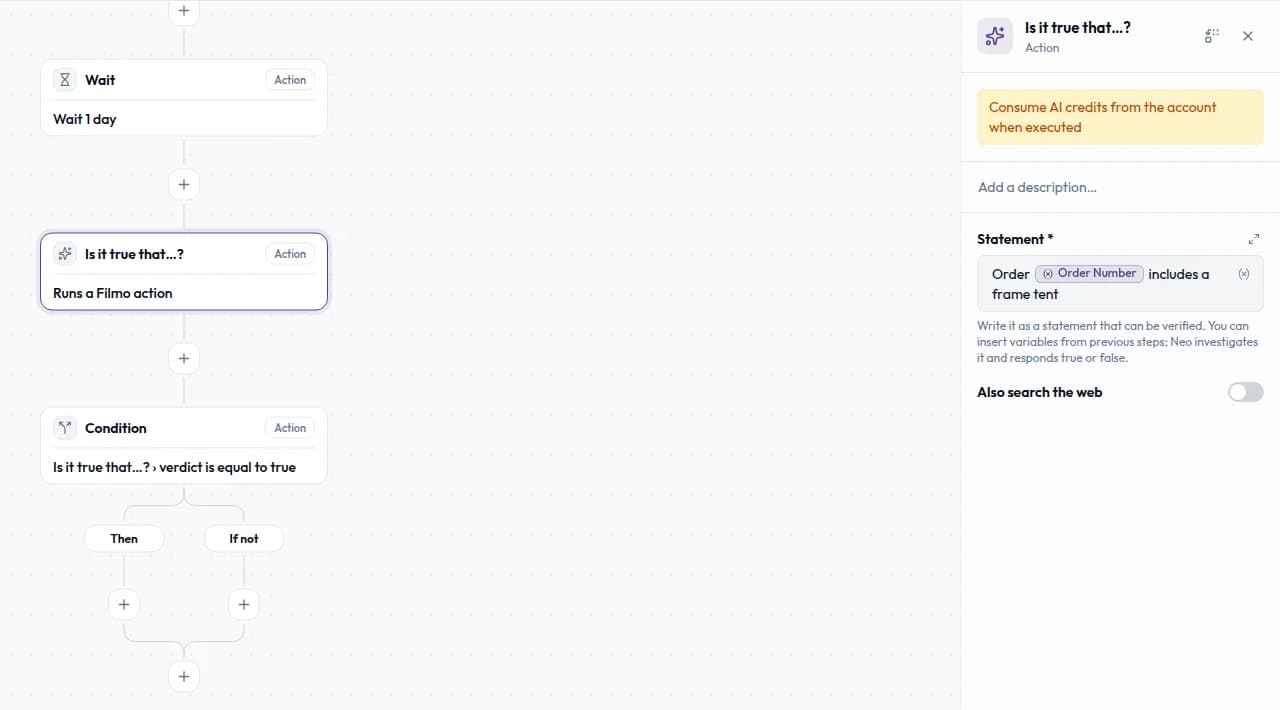
For a video overview, see Steps: actions, AI and conditions in Filmo Academy.
Watch: Steps: actions, AI and conditionsReal product captures keep the language and theme of the recorded interface.
Academy videos have English audio and captions, including on Spanish lesson pages.
Related help articles
Related updates
Stay up to date
Get product updates, new blog articles, Filmo announcements and templates in your inbox.