Rental contracts with signature
- Quotes and sales
Prepare the rental agreement from the job, record the client’s signature and keep the agreed terms together.
A confirmed price is only part of the agreement. The contract brings the equipment, dates, amounts and rental terms into a document both sides can refer to when the job is under way or the equipment comes back.
Start from the job and review the source
Link to this section: Start from the job and review the sourceCreate the contract from the order’s documents. If that order has a quote, the contract takes the quote’s data; otherwise it takes the order’s. Check the lines, dates and prices before issuing it, especially if the job has changed since the quote.
One agreement to refer back to
Link to this section: One agreement to refer back toImagine a projector hire with a Monday return and agreed replacement conditions. The contract puts those terms next to the equipment and price. Use a contract template for the clauses you reuse, so every new job starts with the right wording.
Issue, sign and retain the record
Link to this section: Issue, sign and retain the recordIssuing gives the contract its number and locks it. Keep track of the signature separately from the document’s status. If an issued agreement needs changing, void it and prepare a replacement; the original stays on record. A contract itself does not collect payment or reserve equipment.
Use it today
Link to this section: Use it todayThe guides and recordings below describe Filmo today. Screens and available options may have changed since this update.
Follow Create and issue a contract to check the source and issue the document, then Get a contract signed for online signing or recording a signature obtained on paper.
For a changed agreement, use Void a contract and issue a new one. Review the replacement before sending it; cancelling an order does not void its contracts.
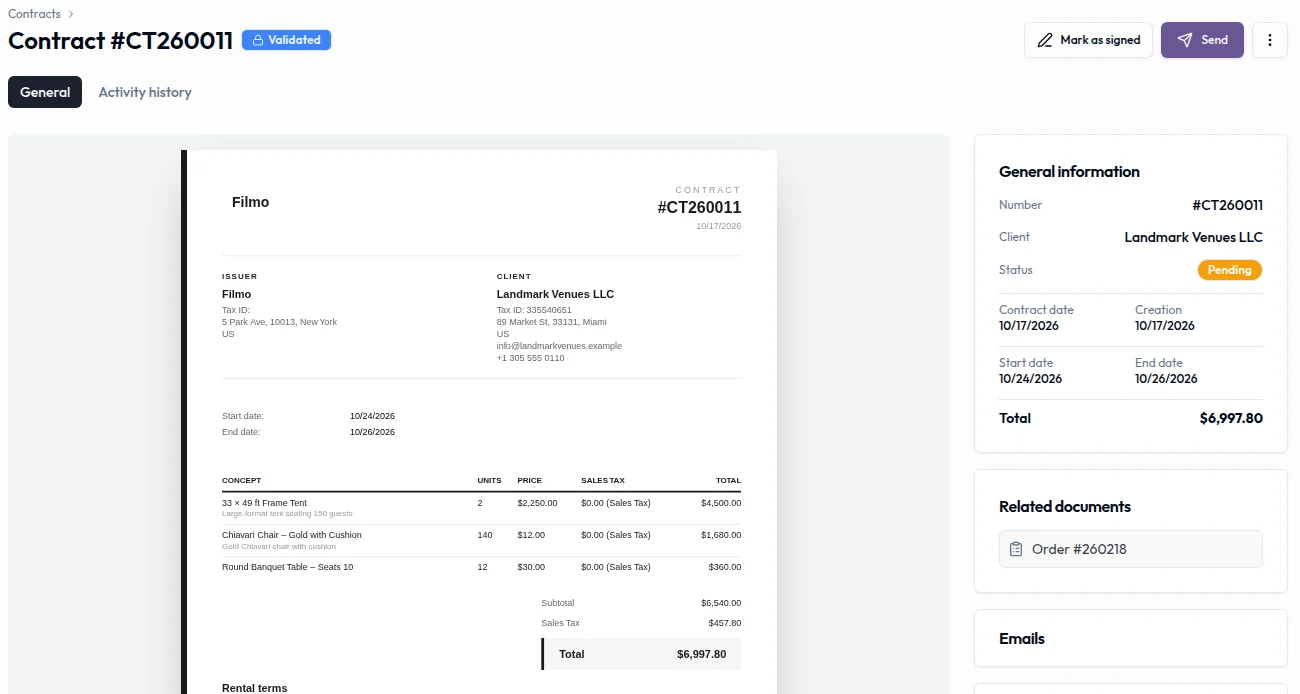
Real product captures keep the language and theme of the recorded interface.
Related help articles
Related updates
Stay up to date
Get product updates, new blog articles, Filmo announcements and templates in your inbox.